01
Find the home row
Do not search for Hebrew letters visually. Use the physical F and J: keys: they have small tactile ridges for your index fingers.
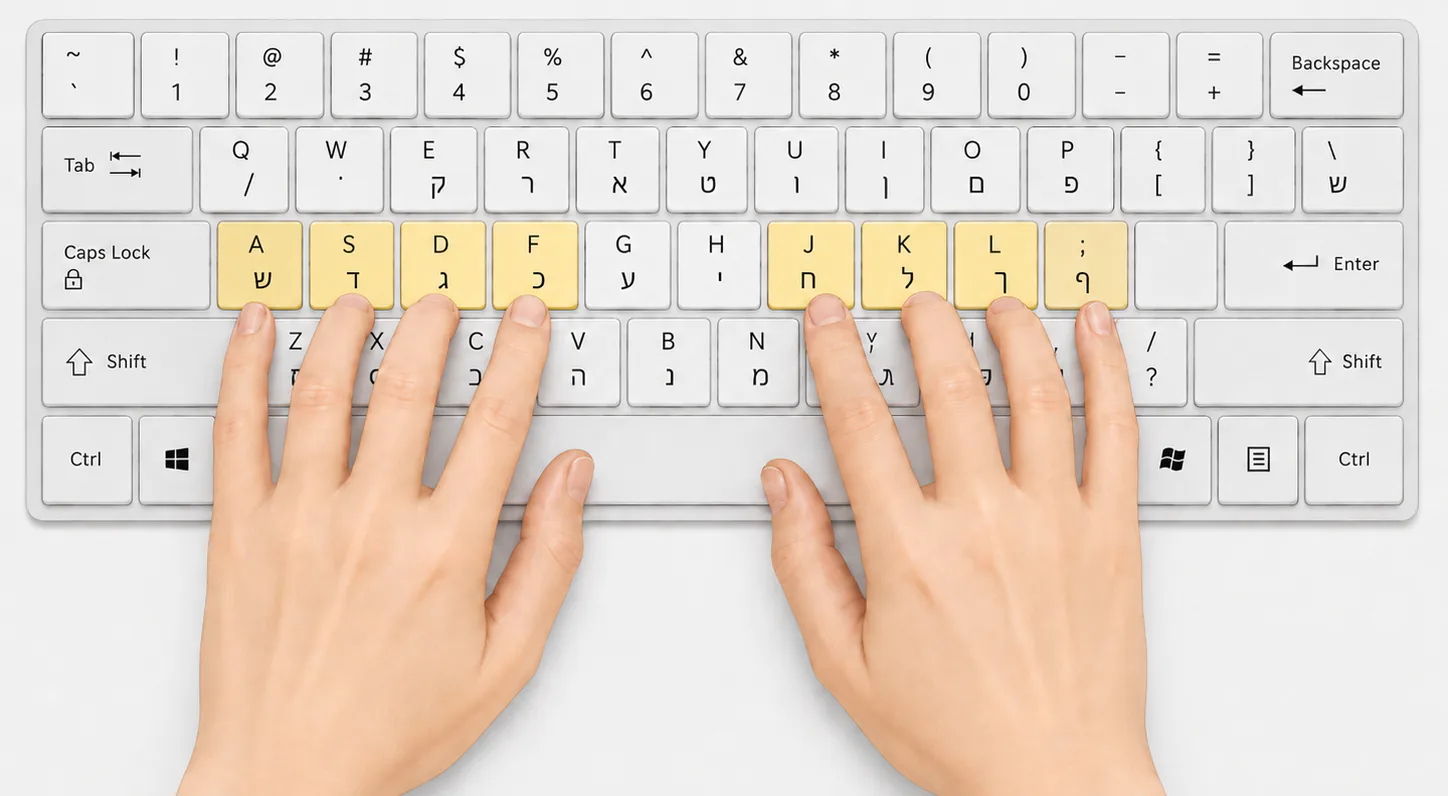
Index fingers rest on F and J; the other fingers take the neighboring keys. Thumbs rest freely over Space.
02
Each finger has its own vertical zone
A finger moves up or down to the required key and immediately returns home. Index fingers cover two central columns each.
Pinky A / ; ש · ף
Ring S / L ד · ך
Middle D / K ג · ל
Index F / J כ · ח
03
Check yourself while typing
Look at the screen
If you lose position, find the F/J ridges with your fingers, not your eyes.
Press lightly
Do not hold the key or tense your hand after pressing.
Start slowly
Stable accuracy matters more than speed. Tempo grows with repetition.
Take short breaks
Change posture and interrupt long continuous typing sessions.
Neutral posture recommendations were checked against OSHA materials: body position and keyboard placement.